



Member Login Instructions
To access private information on our website, including registering for events, you will need to log in with your username and password. This is a similar process as deregistering.
Login Instructions
Method #1 - Large Screen
1. Open the YPA webpage.
2. At the top left-Hand corner of the page click on 'Login' (this should take you to the member login page).

3. Enter email and password (If you have forgotten your password you can get help there).
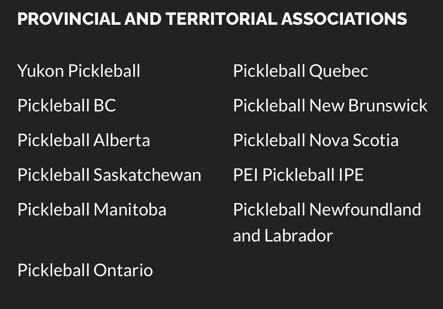
4. Once you have logged in, click on 'Provincial Associations' near the top left corner.

5. Click on 'Yukon Pickleball', which will take you back to our familiar YPA webpage.
-----------------------
Method #2 - Smaller Screen
1. Open the YPA webpage.
2. At the top left-Hand corner of the page click on 'Login' (this should take you to the member login page).
3. Enter email and password (If you have forgotten your password you can get help there).
4. Click on the Join-Renew link on the top of the screen.

5. Scroll all the way to the bottom and you will see the Provincial an Territorial Associations, then click on Yukon Pickleball.
-----------------------
TIP: Add YPA to your Quick Link
Quick Links are located on the page that comes up when you log into Pickleball Canada, this is called your Dashboard page. You can also navigate to it by pressing the Dashboard icon on the Pickleball Canada Menu on the left-hand side of the screen.

If you have any questions, please contact: info@yukonpickleball.ca